.png)
The Medical Evaluation Daily Reminder notification sends daily to selected administrators if there are unacknowledged Medical Evaluations awaiting review.
Turning on this notification is a multi-step process. Follow these instructions ensure this notification will send.
Enable the notification in Notifications
-
Go to Notifications.
-
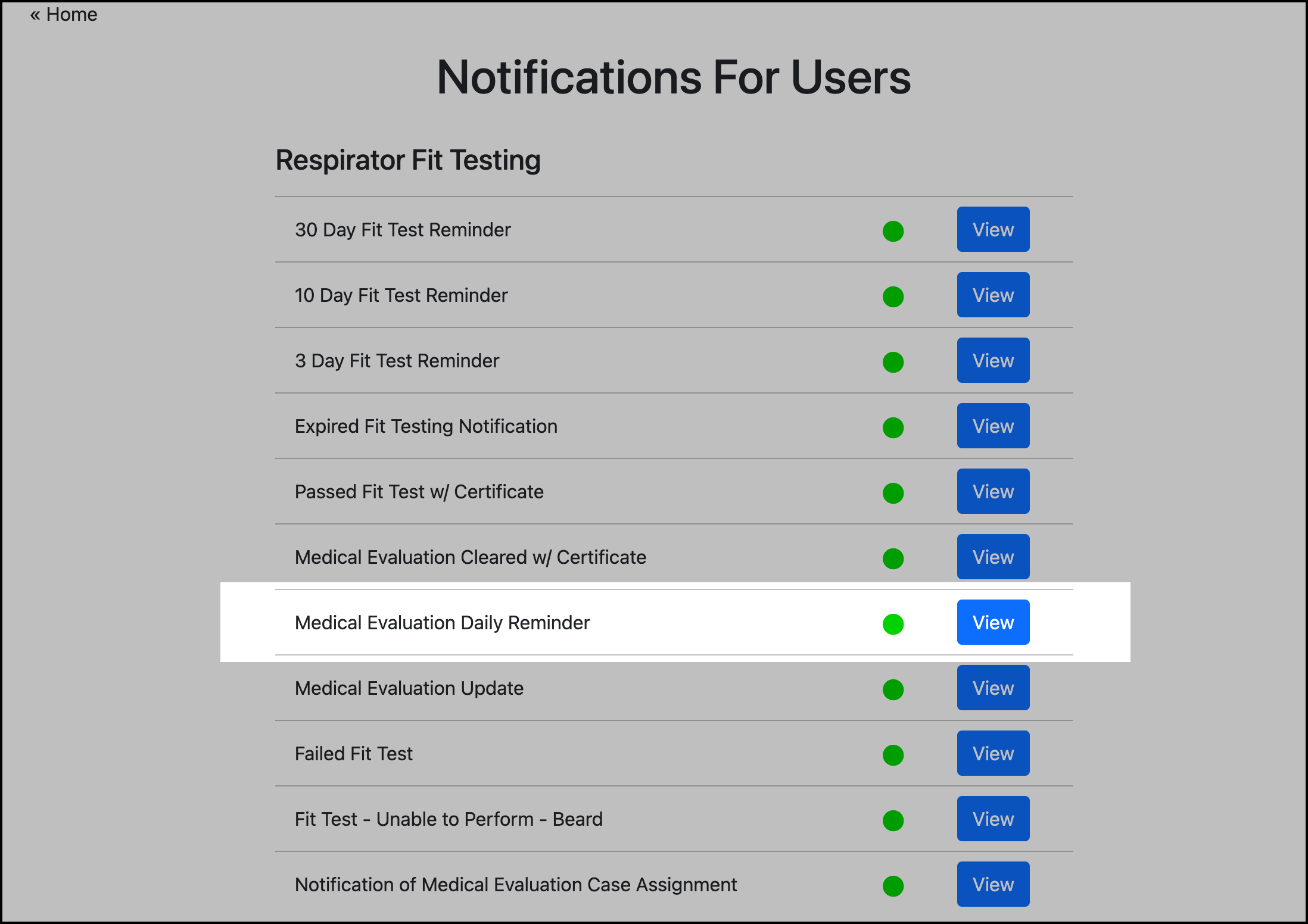
Go to Respirator Fit Testing.
-
Click View for Medical Evaluation Daily Reminder:
-
Enter content and enable the notification.
Enter team mate email(s)
-
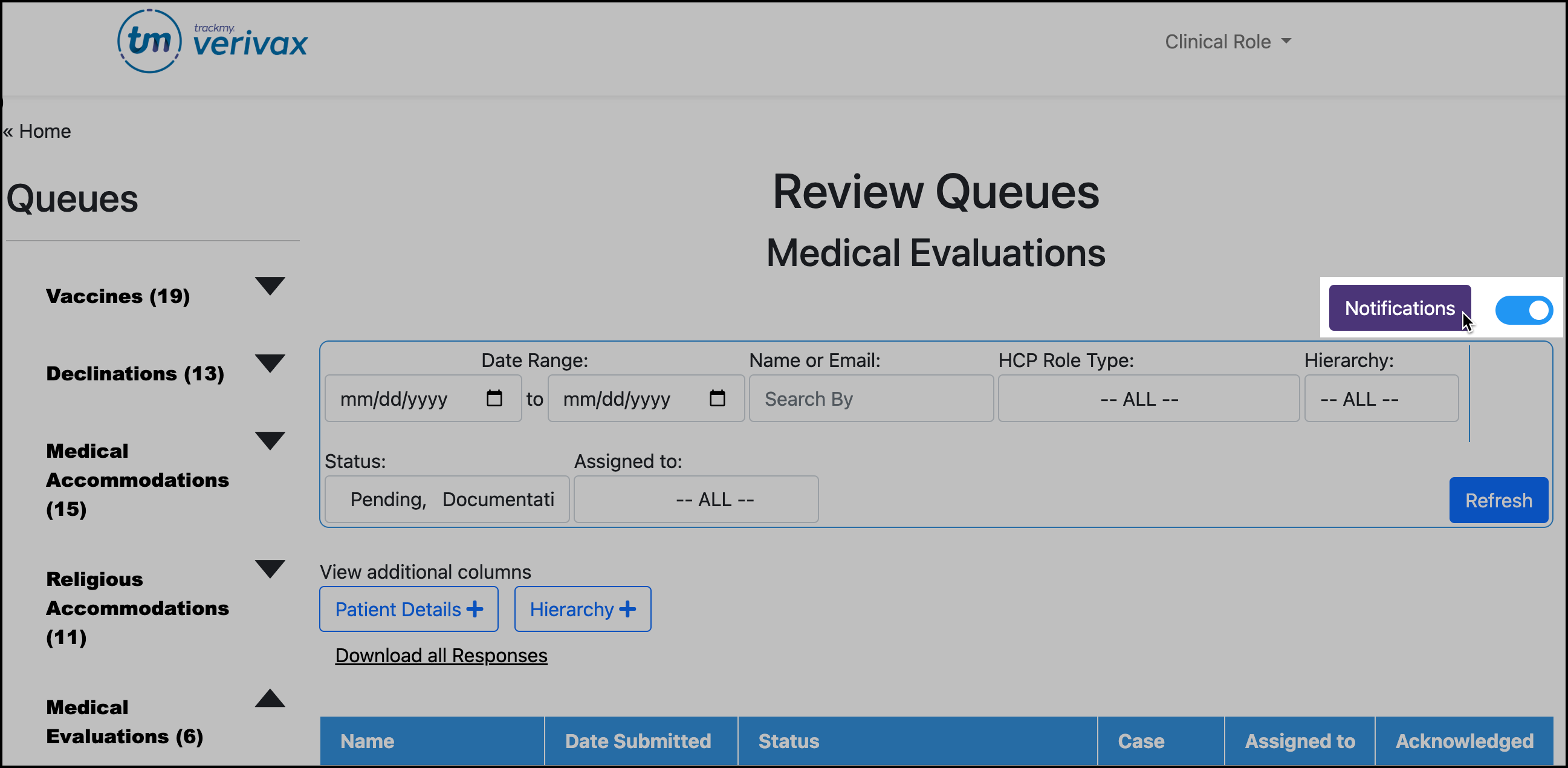
Go to Review Queues - Medical Evaluations
The same steps can be followed when accessing the Medical Evaluation review queue via the Respirator Fit Testing tile. -
Click Notifications in the top-right corner:
-
Enter administrator email(s) and save.
-
After entering administrators' emails, click the toggle next to the Notifications button to turn on the notification.