.png)
You can allow users to self-report test results, such as results from an at-home COVID test.
To allow users to self-report test results:
-
In your TrackMy admin portal, click the Manage Tests tile.
-
Go to Configuration and click Manage for Configure Test Type.
-
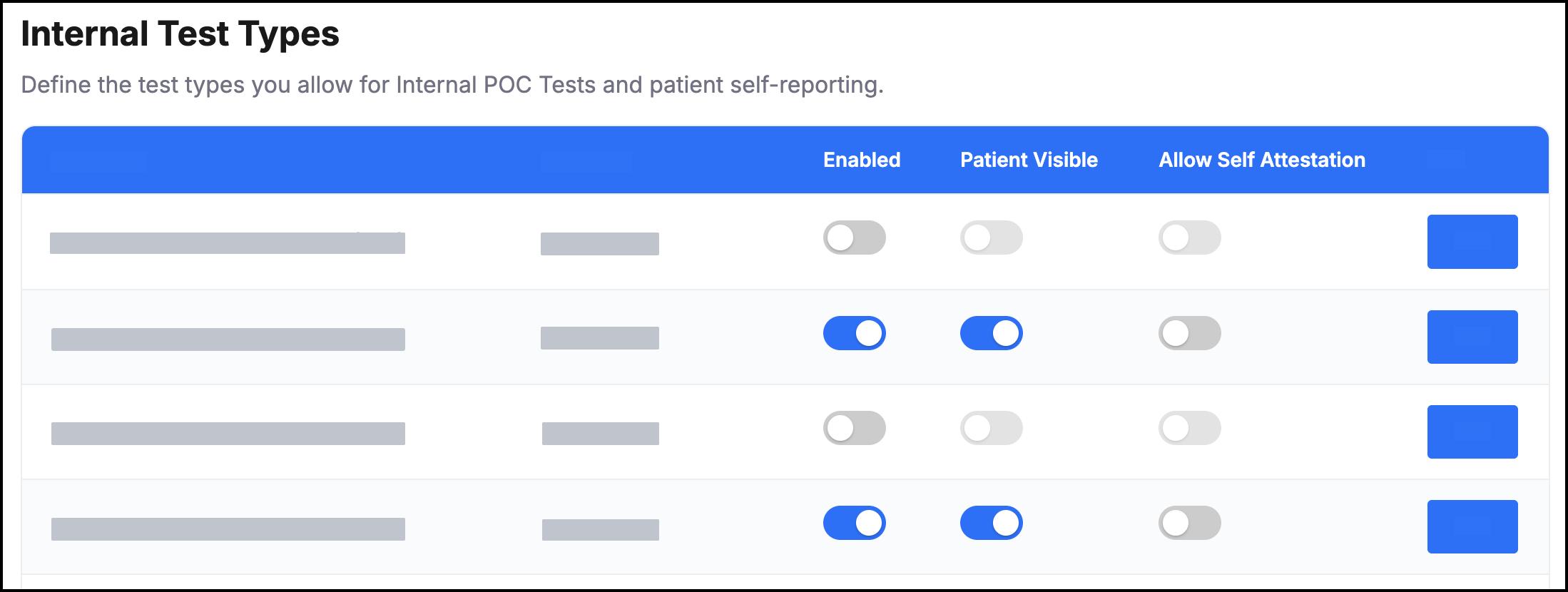
Review the Internal Test Types list.
To allow a user to submit results for a test type follow these configurations:
-
Required: Enable
-
Required: Patient Visible
-
Optional: Allow Self Attestation
-
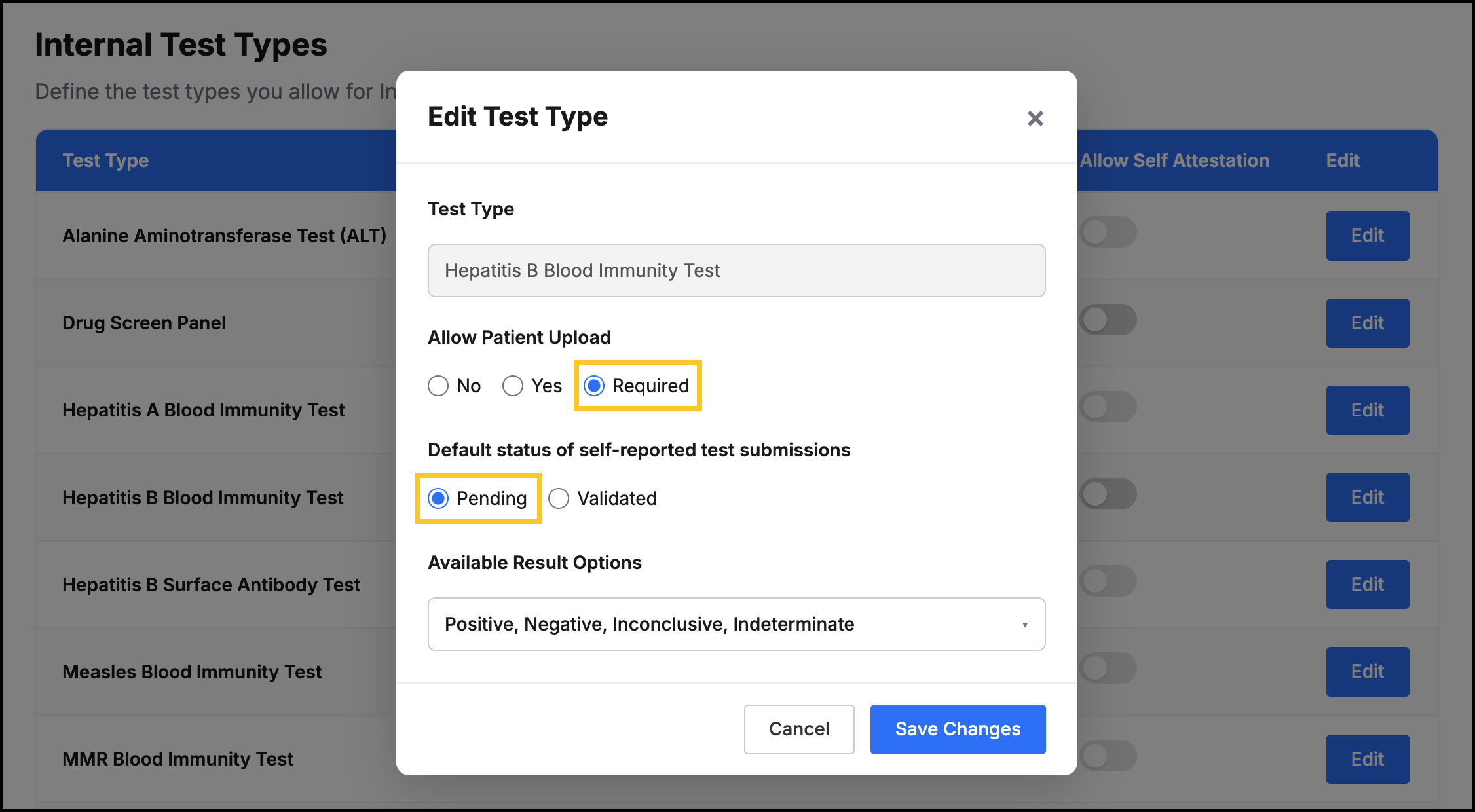
For the test type, click Edit to review additional configurations for the test.
For tests that need to be reviewed, we recommend always following these settings:
-
Allow Patient Upload: Required
-
Default status of self-reported test submissions: Pending
If there are test types that you wish to have turned on, but you do not see them in the available list, please reach out to your TrackMy client success team for assistance.